Deliverability
Dec 12, 2025
Why Good Email Addresses Bounce: The Infrastructure Problem Nobody Talks About
The address is valid, the person exists, and the email still bounced. Why teams blame their lists when the real problem sits in their infrastructure.
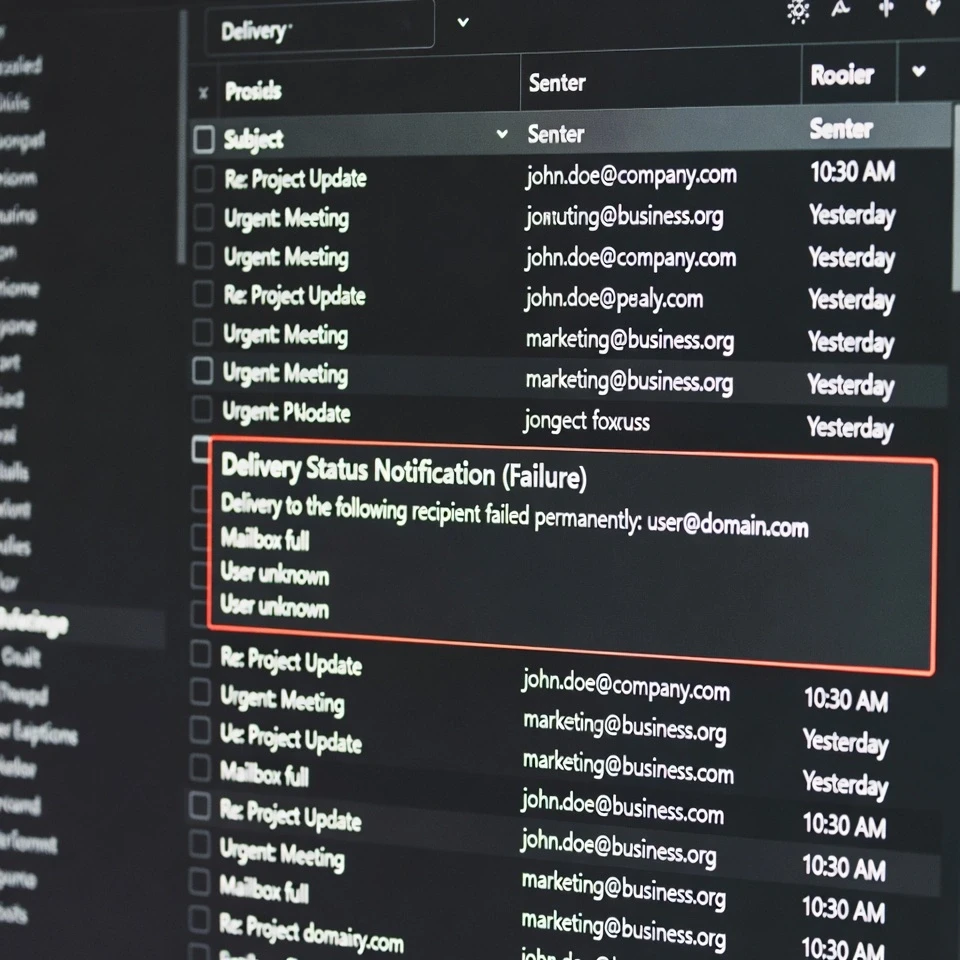
The Infrastructure Reality
Most bounce discussions focus on invalid addresses. That's the easy answer.
But we've analyzed thousands of bounce patterns. A significant portion of bounces come from valid addresses hitting infrastructure problems:
🎓 Server reputation issues that trigger automatic blocks
🎓 Content patterns that spam filters recognize instantly
🎓 Rate limits you didn't know existed
🎓 Technical misconfigurations in your email setup
🎓 Tracking elements that raise red flags
Yes, bad addresses bounce too. But you're often paying for clean data while also sabotaging delivery with technical mistakes.
The Five Infrastructure Killers
Here are the real reasons good addresses bounce:
1. Your IP Reputation Crashed Email providers track your sending IP address. Send too much too fast, get marked as spam a few times, and suddenly your IP is on a blocklist.
New addresses from that IP? Bounced before they're even evaluated.
One client couldn't figure out why their bounce rate spiked. Their shared IP had been compromised by another sender. Clean lists didn't matter - the IP was toxic.
2. Your Content Triggers Spam Filters It's not just about spammy words. Modern filters analyze patterns:
Too many links in one email
External tracking pixels
Suspicious URL shorteners
Formatting that matches known spam templates
Images without proper alt text
Your message might be perfectly legitimate. The pattern recognition says otherwise.
3. You Hit ISP Rate Limits Every major email provider has rate limits. Send too many emails too quickly to Gmail addresses, and they start bouncing even valid ones.
These limits vary by provider and your sender reputation. There's no universal number. You discover them by hitting them.
4. Technical Setup Problems Your email authentication might be broken:
SPF records not properly configured
DKIM signatures missing or invalid
DMARC policies too strict or too loose
Reverse DNS not set up correctly
These technical issues cause valid addresses to reject your emails automatically. The prospect never sees them. You just see bounces.
5. Grey-Listing Complications Some servers use grey-listing: they temporarily reject emails to see if the sender tries again. Legitimate senders retry. Spammers don't.
If your email system doesn't handle grey-listing properly, you treat temporary rejections as permanent bounces. You remove good addresses from your list unnecessarily.
The Warming Problem
Cold email senders face a unique challenge: domain warming.
New domains have zero reputation. Suddenly sending hundreds of cold emails looks suspicious. Providers bounce them proactively.
Proper warming means:
Gradual volume increases over weeks
Maintaining consistent sending patterns
Building positive engagement before scaling
Using dedicated domains for cold outreach
Skip warming and watch bounce rates explode regardless of list quality.
How to Diagnose the Real Problem
Stop assuming every bounce is a bad address. Start investigating:
Check your bounce codes Different codes mean different things. "User unknown" is a bad address. "Message rejected" is often infrastructure.
Monitor IP reputation Use tools to check if your sending IP is on any blocklists.
Test content variations Strip out tracking and links, send a plain text version. If it goes through, your content is the problem.
Review authentication records Verify your SPF, DKIM, and DMARC are properly configured.
Track bounce patterns If bounces concentrate at specific providers (all Gmail, all Outlook), that's an infrastructure signal.
The Fix: Infrastructure First, Lists Second
Here's the priority order for reducing bounces:
Week 1: Technical Foundation
Verify all email authentication protocols
Check IP reputation across major providers
Ensure proper reverse DNS setup
Week 2: Content Optimization
Remove unnecessary tracking elements
Minimize external links
Test plain text versions
Simplify email structure
Week 3: Volume Management
Implement proper rate limiting
Distribute sending across time
Set up grey-listing retry logic
Week 4: Monitoring Systems
Establish bounce code tracking
Create provider-specific metrics
Build automated alerting for reputation drops
Only after infrastructure is solid should you focus heavily on list cleaning.
The ROI Impact
Infrastructure problems cost you more than bounces. They cost you opportunities.
A client was bouncing at valid addresses in their highest-value target accounts. They blamed their list provider and switched vendors twice.
The problem? Their content had three tracking pixels that enterprise spam filters auto-rejected. Removing the trackers dropped their bounce rate by half overnight.
Same lists. Better infrastructure. Dramatically different results.
The Bottom Line
Clean lists matter. But infrastructure matters more.
You can have the highest quality data in the world. If your technical setup is broken, you're burning money on emails that never arrive.
Fix your infrastructure first. Then optimize your lists. In that order.
The bounces you're seeing might not be telling you what you think they are.
Need help diagnosing and fixing deliverability issues beyond list quality? Our team combines technical expertise with email best practices to ensure your messages actually reach prospects.
Book a demo today and stop blaming your lists for infrastructure problems.